
About this game
Picture Selection and Difficulty
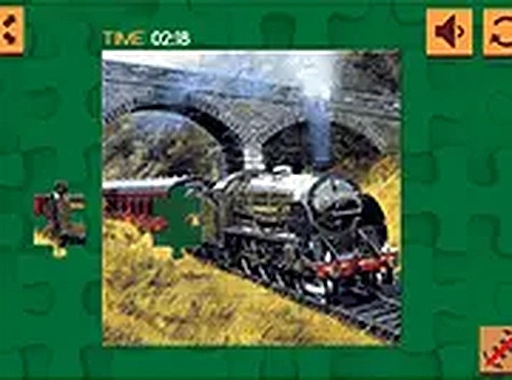
Players begin by choosing from a collection of train-themed images. The game offers several piece counts, from quick 16-piece puzzles to more involved 100-piece challenges. This range allows for sessions of varying length, suiting both short breaks and longer periods of focus. Each image captures a different aspect of rail travel, from sweeping landscapes to detailed locomotive close-ups.
Drag-and-Drop Mechanics
The core interaction involves moving pieces from a scattered pile onto the puzzle board. Controls are designed for simplicity, working smoothly with both mouse clicks on desktop and touch inputs on mobile devices. Some puzzles may include a rotation feature to help fit pieces correctly. A preview of the completed image is always available as a reference.
Pacing and Accessibility
There are no timers or scoring pressure, allowing players to work through each puzzle at their own speed. The interface is clean and uncluttered, making it easy to focus on the task. Progress is saved automatically, so players can return later to finish a partially completed puzzle. This design makes the game suitable for casual play and for those seeking a low-stress mental activity.
Visual Style and Atmosphere
The images emphasize the beauty of rail travel, featuring scenic routes and classic trains. The art style is clear and detailed, making each piece distinct and enjoyable to place. The overall atmosphere is one of calm exploration, as players gradually reveal the full scene. This focus on positive, family-friendly content ensures the game is appropriate for all ages.
Platform Compatibility
The game runs entirely within a web browser, requiring no downloads or installations. It is optimized for both desktop and mobile devices, ensuring a consistent experience across different screen sizes. Full-screen mode is available for a more immersive view. This accessibility makes it easy to start playing immediately from any device with an internet connection.





Audience comments
Sign in to comment
You must be logged in before posting a review or rating.
No account? Create one
No comments yet. Be the first to comment!